Transaction upload
Your month's transactions, validated as they come in.
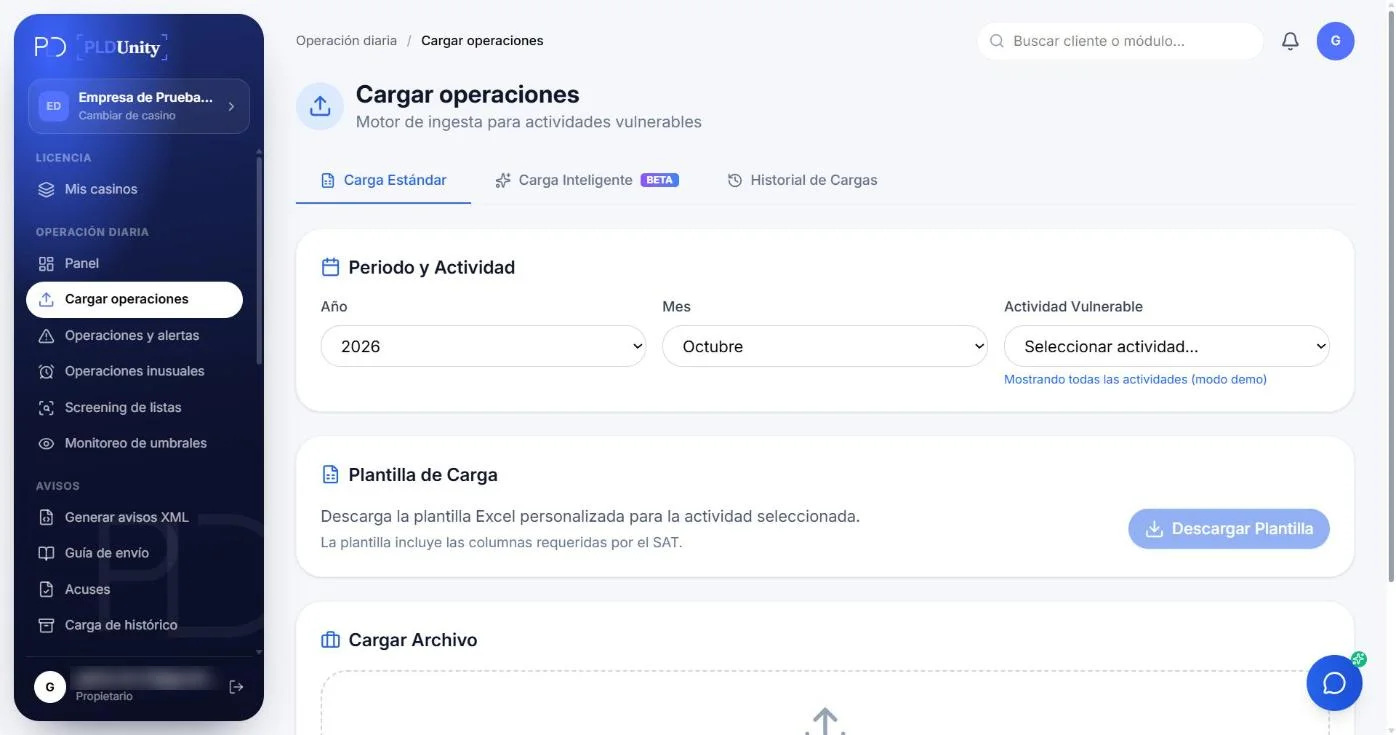
Upload the official template, let AI recognize your own file or connect your system by API. Every transaction is validated against the SAT catalogs and accumulated per client.
OPERATIONAL SUITE · LFPIORPI COMPLIANCE
Every monthly compliance task, synchronized in one cockpit.
Explore how each module works interactively. Operations feed threshold tracking, screening, risk assessment and XML notices without duplicate manual entry.
Transaction Upload
MODULE CAPABILITIES
What it does
- 01Feature
Template, AI or API
Official Excel template, AI-assisted upload that recognizes your file's columns, or API delivery as transactions happen.
- 02Feature
Validation on upload
Missing fields, invalid amounts and malformed CURP or RFC are rejected with the reason before they reach a report.
- 03Feature
No duplicates
Each transaction carries a unique key: uploading the same file again does not count it twice.
- 04Feature
Automatic accumulation
Transactions are summed per client over the period the law sets for your activity: monthly, semiannual and with the cash cap.
- 05Feature
Historical currency & UMA conversion
Automatically computes exact UMA equivalents for the transaction date ($117.31 MXN in 2026) and checks cash caps.
- 06Feature
Real-time REST API & webhooks
Connect your ERP, DMS, core banking, or e-commerce backend to stream transactions without manual spreadsheet uploads.
REGULATORY & OPERATIONAL GUIDE
Compliance Guidelines for Transaction upload
Essential LFPIORPI obligations, identification criteria, and supervisory rules applicable to this activity.
Upload is the first step of the month and the only one that depends on you. What comes in here feeds threshold monitoring, screening, the risk grade and the XML report without re-keying anything.
If a row has a problem, you see it flagged with the reason and fix it before moving on.
MODULE FREQUENTLY ASKED QUESTIONS
Frequently asked questions
What file formats does the Transaction Upload module accept?
It accepts Excel (.xlsx) and CSV (.csv) files. You can use the official downloadable template tailored to your Article 17 activity or upload native exports directly from your ERP, CRM, or billing software.
How does AI-assisted column mapping work if our ERP export uses custom headers?
When you upload a custom spreadsheet, our AI inspects the headers and sample rows, maps each column to the required regulatory fields (amount, date, payment instrument, client RFC, transaction type), and presents a preview for your confirmation before importing.
Can we upload files multiple times a month or stream transactions via API?
You can upload batches daily, weekly, or monthly—automatic duplicate detection prevents double-counting transaction IDs. You can also stream transactions in real time via our REST API.
What regulatory checks run automatically when transactions are imported?
The engine verifies client KYC status, calculates the exact UMA equivalent for the transaction date ($117.31 MXN in 2026), checks Article 32 cash prohibition caps, and updates each client's 6-month rolling accumulation.
Can we upload transactions from prior months or years to rebuild 6-month windows?
Yes. Historical transactions are evaluated using the official UMA value in effect on their original transaction date, accurately reconstructing rolling 6-month windows without polluting your current month's queue.
What happens if a 500-row file contains 3 rows with formatting errors?
An interactive pre-import table highlights the exact row and column containing any error (such as a malformed date or missing payment code) so you can fix or exclude it before committing the batch.
30-DAY FREE TRIAL · NO CREDIT CARD
Put the Transaction upload module to work with your own data.
Start your 30-day free trial with your own transactions or schedule a 30-minute walkthrough with BDUnity's compliance specialists.