History import
Your history, complete from day one.
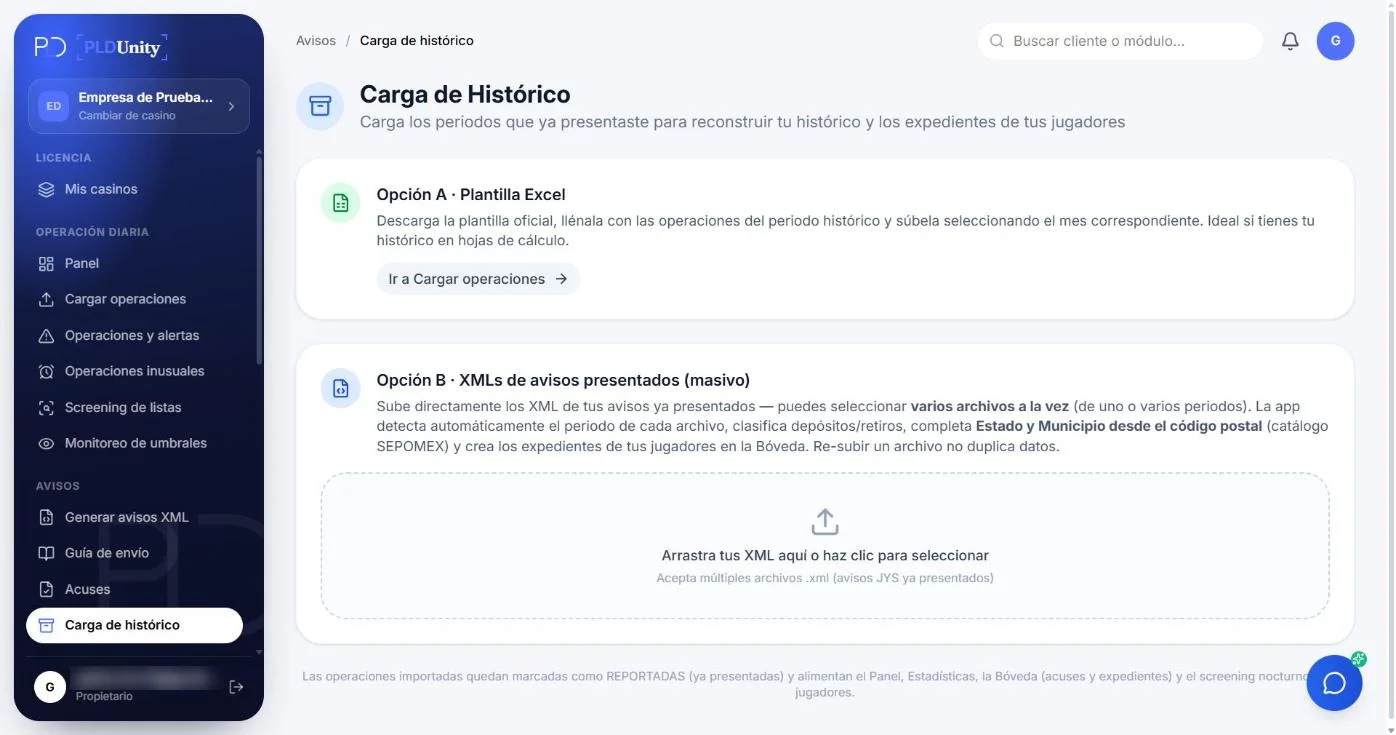
Import the XML reports you already filed so each client's accumulation and history start complete.
OPERATIONAL SUITE · LFPIORPI COMPLIANCE
Every monthly compliance task, synchronized in one cockpit.
Explore how each module works interactively. Operations feed threshold tracking, screening, risk assessment and XML notices without duplicate manual entry.
Transaction Upload
MODULE CAPABILITIES
What it does
- 01Feature
Previous reports
Upload XML files from previous periods, from PLDUnity or any other system.
- 02Feature
Correct totals
Earlier transactions count toward each client's monthly and semiannual accumulation.
- 03Feature
Validation on import
Each XML is validated against the official schema; if it fails, you see why.
- 04Feature
Automated client directory reconstruction
Extracts RFC, CURP, legal name, address, and Beneficial Owner records directly from past XML filings with zero manual re-entry.
- 05Feature
SAT acknowledgment receipt linking
Attaches official SPPLD acceptance receipts (PDF and XML) to each historical period to complete your 10-year statutory archive.
- 06Feature
Batch screening & EBR activation
Imported active clients automatically enter batch watchlist screenings and receive their initial EBR risk score.
REGULATORY & OPERATIONAL GUIDE
Compliance Guidelines for History import
Essential LFPIORPI obligations, identification criteria, and supervisory rules applicable to this activity.
If you are coming from spreadsheets or another provider, you don't have to start from scratch: the platform reads your historical reports and rebuilds the history.
MODULE FREQUENTLY ASKED QUESTIONS
Frequently asked questions
How many months or years of historical filings can I import?
You can import as many past periods as you have—covering up to the full 10-year retention window required by amended Article 18 of the LFPIORPI—either individually or in bulk.
What does the system reconstruct automatically when reading past SAT XML files?
Our parser reads official SAT XML notices from any Article 17 annex, automatically creates or updates client and beneficial owner records, logs every historical transaction in its original period, and rebuilds the 6-month rolling accumulation window.
Can I attach the official SAT acknowledgment PDFs from those prior periods?
Yes. You can link each imported historical XML notice with its official SAT acceptance receipt (folio and filing date) so your entire audit archive lives in one place.
What if we don't have the XML files for some past periods and only have Excel spreadsheets?
If you only have spreadsheets for certain prior periods, you can import them via the Transaction Upload module using their original transaction dates to reconstruct the client's historical ledger.
Are imported historical clients automatically screened against current watchlists?
Yes. Once your historical client directory is imported, active clients are automatically included in the batch screening across all 7 watchlists and scored in the EBR risk engine.
Does History Import verify the structural integrity of our past XML files?
Yes. As each historical XML is parsed, the system validates its structure, detects the corresponding Article 17 annex, and displays a complete summary of recovered clients, amounts, and operations.
30-DAY FREE TRIAL · NO CREDIT CARD
Put the History import module to work with your own data.
Start your 30-day free trial with your own transactions or schedule a 30-minute walkthrough with BDUnity's compliance specialists.