Cashier registration
In-person identification, without leaving the counter.
For casinos and businesses with in-person service: the cashier identifies the client, screens them against the lists and records the transaction while they are at the counter.
OPERATIONAL SUITE · LFPIORPI COMPLIANCE
Every monthly compliance task, synchronized in one cockpit.
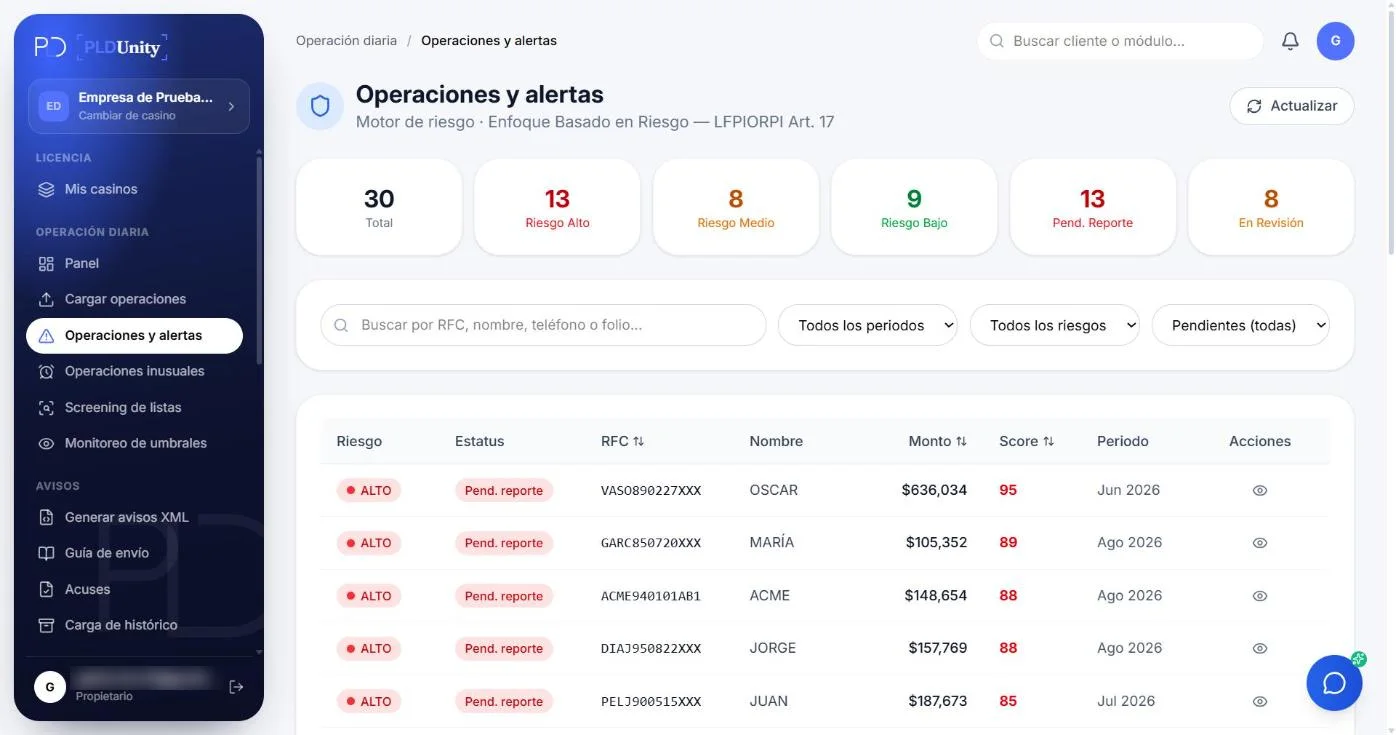
Explore how each module works interactively. Operations feed threshold tracking, screening, risk assessment and XML notices without duplicate manual entry.
Transaction Upload
MODULE CAPABILITIES
What it does
- 01Feature
On-the-spot identification
Capture the client's details and ID while transacting; the file is created or completed right there.
- 02Feature
Instant screening
List screening happens before the transaction is completed; a critical match opens a 24-hour case.
- 03Feature
Totals in view
The cashier sees how much the client has accumulated in the period and whether they are approaching a threshold.
- 04Feature
Deposits and withdrawals
With the cashier instruments from the SAT catalog, ready for the gaming and betting report.
- 05Feature
Preventive Article 32 cash-cap blocking
Stops at the counter any cash or precious-metal payment that would breach your vulnerable activity's statutory prohibition.
- 06Feature
Real-time multi-branch consolidation
Instantaneously aggregates transactions executed by the same client across different cashier windows, halls, or branches.
REGULATORY & OPERATIONAL GUIDE
Compliance Guidelines for Cashier registration
Essential LFPIORPI obligations, identification criteria, and supervisory rules applicable to this activity.
In in-person operations, identification has to happen while the client is at the counter. This module puts the essentials there: identify, screen and record, on one screen.
MODULE FREQUENTLY ASKED QUESTIONS
Frequently asked questions
What kind of front-desk operations is Cashier Registration built for?
It is purpose-built for fast-moving physical points of sale—casino cages, auto dealership desks, luxury jewelry boutiques, art galleries, and payment windows—where staff must verify clients and check cash limits in seconds without accessing back-office compliance menus.
What can a Cashier user see, and what is restricted?
A cashier only sees their branch's streamlined capture screen to look up or register a client, log the transaction, attach ID documents, and view the approval status. They cannot view XML filings, corporate EBR matrices, or records from other branches.
Does it block cash payments that exceed Article 32 limits in real time at the counter?
Yes. Before the cashier accepts cash or prints a receipt, the system checks the payment against Article 32 prohibitions (3,210 UMA or 8,025 UMA depending on your activity) and displays an immediate blocking alert if exceeded.
Does it run watchlist screening and KYC checks right at the counter?
Yes. When a new client is entered at the desk, PLDUnity screens all 7 watchlists in the background and prompts the cashier for any mandatory KYC documents before authorizing chip purchases, prize payouts, or deliveries.
Does it consolidate activity across multiple cashiers, shifts, and branches in real time?
Yes. Even if a client transacts at Branch A in the morning and Branch B in the afternoon, their UMA accumulation and cash caps are consolidated instantaneously across your entire organization.
Can physical cashier transactions coexist with online or API transactions?
Yes. In-branch cashier entries feed into the exact same client profile and 6-month rolling accumulator as online transactions ingested via API or Excel.
30-DAY FREE TRIAL · NO CREDIT CARD
Put the Cashier registration module to work with your own data.
Start your 30-day free trial with your own transactions or schedule a 30-minute walkthrough with BDUnity's compliance specialists.